

| Permission system used by | Both iOS (Apple) and Android (Google) |
| Most sensitive permissions | Location (Always), Microphone, Contacts, Camera |
| Can you change permissions after granting? | Yes — anytime in your phone's Settings |
| iOS selective photo access | Available since iOS 14 — grant access to chosen photos only |
| Location 'While Using' vs 'Always' | 'While Using' limits tracking to when the app is open |
| Bluetooth privacy risk | Can be used for location inference without GPS access |
Why Apps Ask for Permissions in the First Place
When you install an app, it doesn't automatically get access to everything on your phone. Both Android and iOS use a permission system — a gatekeeper that requires apps to ask before they can touch sensitive hardware or data. The idea is to put you in control, but the reality is that most people tap 'Allow' without a second thought.
Not every permission request is suspicious. A video calling app needs your camera; a navigation app needs your location. The question worth asking is whether the access being requested actually matches what the app does. When those two things don't line up, it's worth pausing.
Understanding what each permission actually unlocks is the first step to making informed choices. It also helps you spot when an app may be collecting more than it needs — a practice sometimes called over-permissioning. Free apps in particular often monetize through data, making permissions a central part of their business model.
| Permission system used by | Both iOS (Apple) and Android (Google) |
| Most sensitive permissions | Location (Always), Microphone, Contacts, Camera |
| Can you change permissions after granting? | Yes — anytime in your phone's Settings |
| iOS selective photo access | Available since iOS 14 — grant access to chosen photos only |
| Location 'While Using' vs 'Always' | 'While Using' limits tracking to when the app is open |
| Bluetooth privacy risk | Can be used for location inference without GPS access |
The Most Common Permissions — Decoded
Here's a plain-language breakdown of what the most frequently requested permissions actually allow an app to do:
- Location
- Lets the app see where you are, either precisely (GPS-level accuracy) or approximately. Many apps offer a choice: 'While Using' limits access to when the app is open; 'Always' allows background tracking. Precise location is sensitive — it can reveal your home, workplace, and daily routines.
- Camera
- Grants the ability to activate your camera and capture photos or video. A shopping app that lets you scan barcodes legitimately needs this. An app with no obvious visual feature probably doesn't.
- Microphone
- Allows the app to record audio through your phone's mic. Voice-to-text, video calls, and podcast apps have genuine uses for this. Be cautious granting it to apps where audio recording serves no clear purpose.
- Contacts
- Gives read access to your full address book — including names, phone numbers, emails, and sometimes notes. Messaging and calling apps often need this. Social apps may use it to find people you know, but that data can also be shared with advertisers.
- Photos / Media
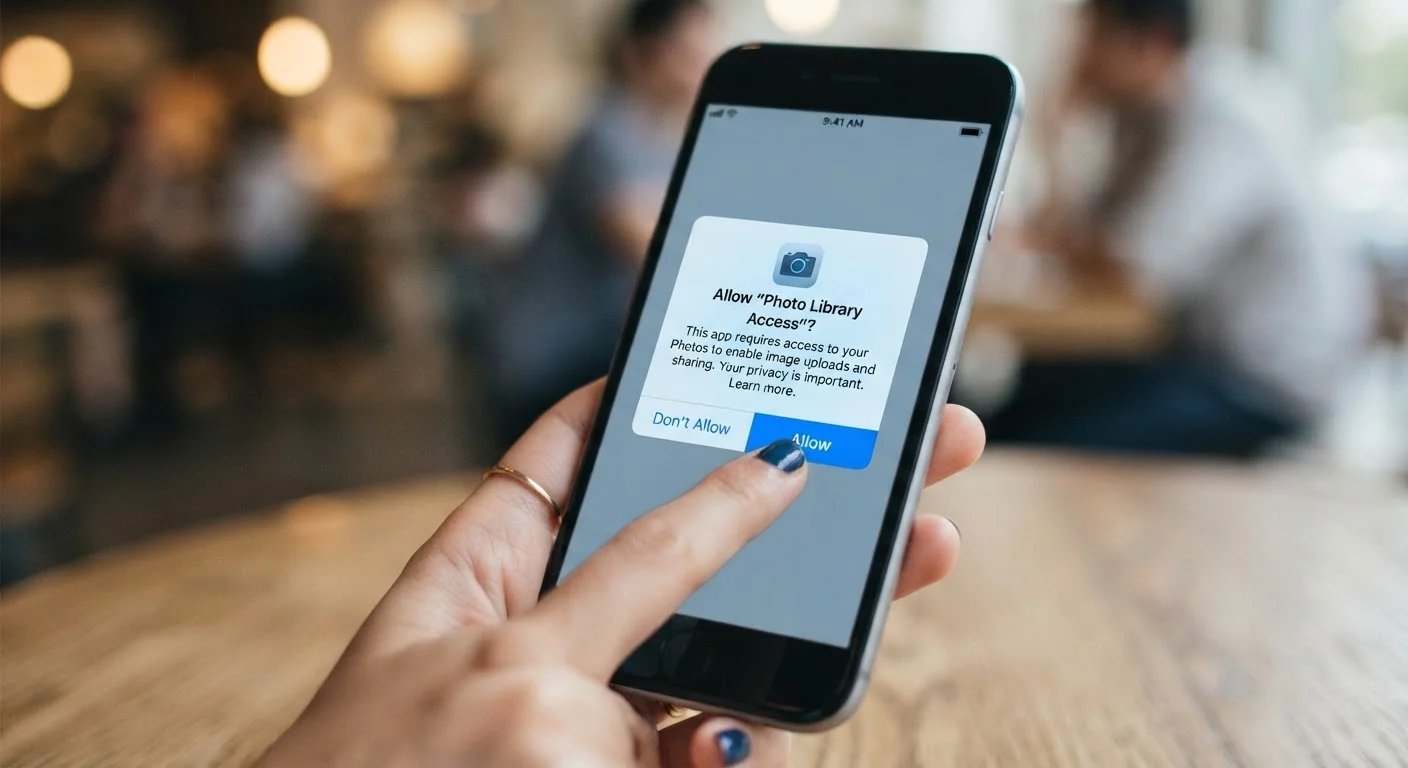
- Lets the app read (and sometimes modify) images and files stored on your device. On newer iOS versions, you can grant access to selected photos only, rather than your full library — a meaningful privacy improvement.
- Notifications
- Allows the app to send you alerts. This doesn't expose personal data, but excessive notifications can be disruptive. You can adjust these anytime in your phone's settings.
- Bluetooth
- Enables connection to nearby devices. Headphone and smart-home apps need this. Notably, apps can also use Bluetooth to detect your location or proximity to other devices — even without a GPS permission.
- Nearby Devices / Wi-Fi
- Similar to Bluetooth, this can be used for local device discovery but also for location inference based on nearby networks.
App permission
A system-level gate that controls whether an app can access specific hardware or data on your device, such as your camera, location, or contacts. You must explicitly grant or deny each one.
Over-permissioning
When an app requests access to more data or device features than its core function actually requires. This can be a sign that data is being collected for advertising or other purposes beyond the app's stated use.
Background location access
A permission level that allows an app to read your location even when you're not actively using it. This is the most privacy-sensitive location setting and should be granted only when clearly necessary.
Permission manager
A built-in tool on Android and iOS that lets you view all apps with access to a specific permission type (like microphone or contacts) and change those settings in one place.
How to Review and Revoke Permissions You've Already Granted
You don't have to accept permissions as permanent. Both iOS and Android let you review and change permissions at any time — and it takes less than a minute.
- On iPhone/iPad: Go to Settings → Privacy & Security, then tap any permission category (Location Services, Camera, Contacts, etc.) to see which apps have access and change it.
- On Android: Go to Settings → Apps, select an app, then tap Permissions. Alternatively, go to Settings → Privacy → Permission Manager to browse by permission type.
A good habit: after installing a new app, review its permissions a week later. If you haven't needed a feature that would require a certain permission, consider revoking it. Apps are required to ask again if they need that access in future.
Permissions Don't Have to Be All-or-Nothing
Modern smartphones offer granular controls that didn't exist a few years ago. iOS lets you share only selected photos instead of your whole library. Android lets you grant approximate rather than precise location. When an app offers a middle-ground option, it's often the smartest choice — you get the feature you need without exposing more than necessary.
For a broader look at device-level security settings worth reviewing, see our guide to phone security settings most people never touch. And if you're weighing whether to install an app at all, our article on native apps vs. web apps can help you decide.