

Key Takeaways
Delivers time-sensitive information instantly
Breaking news alerts, flight status changes, and fraud warnings from your bank are genuinely more useful arriving in real time than waiting for you to open an app.
Keeps you on top of direct communications
Text messages, calendar reminders, and direct messages from people you've chosen to communicate with are a clear use case where notifications reduce friction.
Supports safety and accountability
Alerts from home security apps, health monitoring devices, and location-sharing apps for families serve protective functions that are hard to replicate without push delivery.
Reduces the need to constantly check apps
A well-configured notification setup can paradoxically reduce screen time by surfacing relevant updates, so you don't feel compelled to open apps to check for new activity.
Engineered to maximize re-engagement, not usefulness
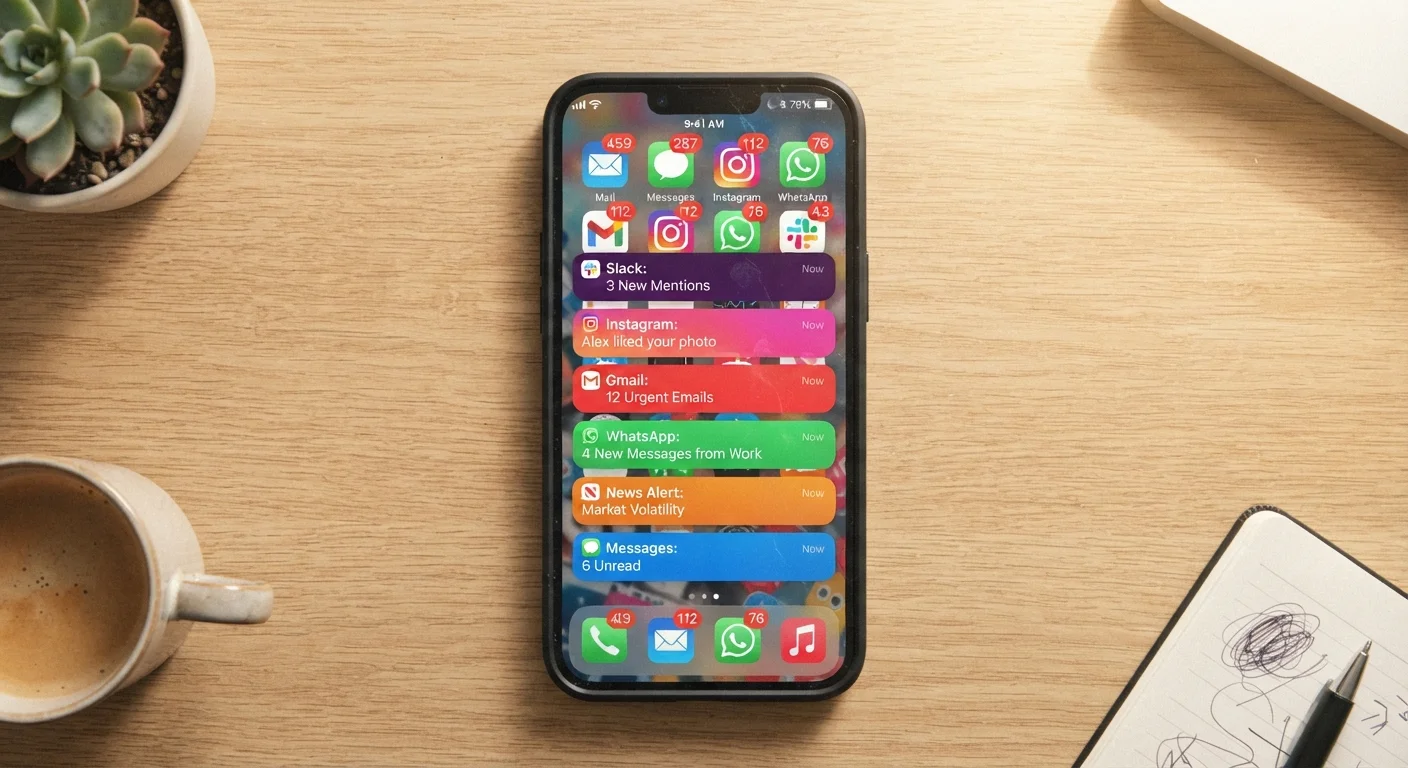
Many app notifications are timed and worded using behavioral psychology principles — urgency, social proof, curiosity gaps — to draw you back into the app regardless of whether anything meaningful has changed.
Fragments attention throughout the day
Each notification interrupts a cognitive thread, and research consistently shows that recovering full focus after an interruption takes significantly longer than the interruption itself.
Contributes to notification fatigue
When every app competes for attention at maximum volume, users begin ignoring all notifications — including the genuinely important ones they actually wanted.
Can be a vector for phishing and scams
Malicious or poorly secured apps can use notification-style prompts to trick users into tapping links or sharing credentials. Knowing how to spot deceptive messages applies to push alerts too.
Disrupts sleep when poorly managed
Notifications arriving during overnight hours — or even the habit of checking a phone before bed due to conditioned alert responses — are associated with poorer sleep quality.
Our Verdict
Push notifications are genuinely useful in the right contexts — urgent alerts, time-sensitive messages, and reminders you've actively opted into. The problem is that many apps are designed to send notifications at a volume that serves their engagement metrics more than your needs. With a deliberate audit of your settings, you can keep the alerts that matter and silence the rest.
Anyone who wants to stay informed without feeling constantly interrupted — especially people who find their phone distracts them during work, family time, or sleep.
How Push Notifications Actually Work
A push notification is a message sent from an app's server to your device, delivered even when the app isn't open. When you install an app and grant it notification permission, you're essentially telling your phone's operating system to accept incoming messages from that app at any time.
On both Android and iOS, a centralized push delivery service — Google's Firebase Cloud Messaging or Apple's APNs (Apple Push Notification service) — acts as the middleman. The app's server sends a message to that service, which forwards it to your device. This is why notifications can arrive even with the app fully closed.
Importantly, you control this permission. Both major mobile platforms let you review and adjust notification access per app in your device's settings. Understanding this is the first step to taking back control — something worth exploring further if you want to get more out of your smartphone.
The Real Advantages of Push Notifications
When used well, push notifications deliver genuine value. Here's where they earn their keep:
Delivers time-sensitive information instantly
Breaking news alerts, flight status changes, and fraud warnings from your bank are genuinely more useful arriving in real time than waiting for you to open an app.
Keeps you on top of direct communications
Text messages, calendar reminders, and direct messages from people you've chosen to communicate with are a clear use case where notifications reduce friction.
Supports safety and accountability
Alerts from home security apps, health monitoring devices, and location-sharing apps for families serve protective functions that are hard to replicate without push delivery.
Reduces the need to constantly check apps
A well-configured notification setup can paradoxically reduce screen time by surfacing relevant updates, so you don't feel compelled to open apps to check for new activity.
The common thread across these legitimate uses is that the notification delivers information you requested or that has clear, immediate relevance to you — not information designed to pull you back into an app for the app's benefit.
Why So Many Notifications Feel Like Noise
The friction between useful and intrusive notifications comes down to incentives. Apps — especially free ones — are often measured by daily active users and session length. Notifications are one of the most effective tools for driving both. As explained in our look at how free apps generate revenue, engagement metrics directly affect advertising revenue and perceived app value.
The result: apps are frequently configured to send notifications at the maximum frequency their users will tolerate before disabling them. That's a very different goal from keeping you informed.
Engineered to maximize re-engagement, not usefulness
Many app notifications are timed and worded using behavioral psychology principles — urgency, social proof, curiosity gaps — to draw you back into the app regardless of whether anything meaningful has changed.
Fragments attention throughout the day
Each notification interrupts a cognitive thread, and research consistently shows that recovering full focus after an interruption takes significantly longer than the interruption itself.
Contributes to notification fatigue
When every app competes for attention at maximum volume, users begin ignoring all notifications — including the genuinely important ones they actually wanted.
Can be a vector for phishing and scams
Malicious or poorly secured apps can use notification-style prompts to trick users into tapping links or sharing credentials. Knowing how to spot deceptive messages applies to push alerts too.
Disrupts sleep when poorly managed
Notifications arriving during overnight hours — or even the habit of checking a phone before bed due to conditioned alert responses — are associated with poorer sleep quality.
Not All Notifications Require Your Permission Twice
When you install an app, both iOS and Android now prompt you explicitly before granting notification access — you don't have to dig into settings to prevent it upfront. On iOS 16 and later, apps must request permission before sending any notifications, and you can deny it without affecting other app functionality. On Android 13 and later, the same opt-in requirement applies. Saying no at install time is easier than hunting down permissions later.
Research into smartphone use and cognitive load has consistently found that frequent interruptions — even brief ones — reduce sustained attention and increase perceived stress. A notification doesn't have to be disruptive in content to be disruptive in effect; the mere act of switching attention carries a cost.
How to Audit Your Notifications Without Going Dark
The goal isn't to disable all notifications — it's to be deliberate about which ones stay on. Here's a practical approach:
- Review per-app permissions: On iPhone, go to Settings > Notifications. On Android, go to Settings > Apps > > Notifications. You can disable notifications entirely per app, or on many devices, limit them to specific types (e.g., only direct messages, not promotional alerts).
- Use Focus or Do Not Disturb modes: Both iOS and Android offer scheduled quiet periods where only priority contacts or alarms break through.
- Unsubscribe at the app level: Many apps have their own notification preference screens, often under Settings or Account within the app itself. These can offer more granular control than the OS-level toggle.
- Do a one-week reset: Disable all non-essential notifications for a week. Reenable only the ones you genuinely missed.
46
Average daily app notifications per smartphone user
Figures cited in mobile industry usage reports suggest the average smartphone user receives dozens of push notifications each day, spanning messaging, news, and promotional apps.
23 min
Average time to refocus after an interruption
Research from the University of California, Irvine found it takes an average of about 23 minutes to return to a task after an interruption — a figure widely cited in attention and productivity studies.
This kind of periodic audit pairs well with a broader review of which apps you're actually using — including any paid subscriptions that may no longer be worth keeping.