

Key Takeaways
Option A
Phishing Emails
The long-established, high-volume email scam.
Best for: Understanding the most common form of credential theft, which arrives in your inbox disguised as a trusted sender.
Option B
Smishing Texts
The fast-growing, mobile-first deception tactic.
Best for: Recognizing scam text messages that exploit the trust and urgency people associate with SMS and messaging apps.
If you want to recognize scams arriving in your email inbox
Phishing Emails
Understanding phishing-specific patterns — spoofed sender addresses, generic greetings, embedded links — equips you to spot the most common form of digital deception.
If you receive unexpected texts from banks, delivery services, or government agencies
Smishing Texts
Smishing exploits the immediacy of text messages; knowing its hallmarks helps you pause before tapping any link in an unsolicited SMS.
If you want a broader understanding of how people are manipulated online
Phishing Emails
Phishing is the foundational social engineering technique; mastering its patterns provides the mental framework to recognize smishing, vishing, and other related scams.
What Each Attack Actually Does
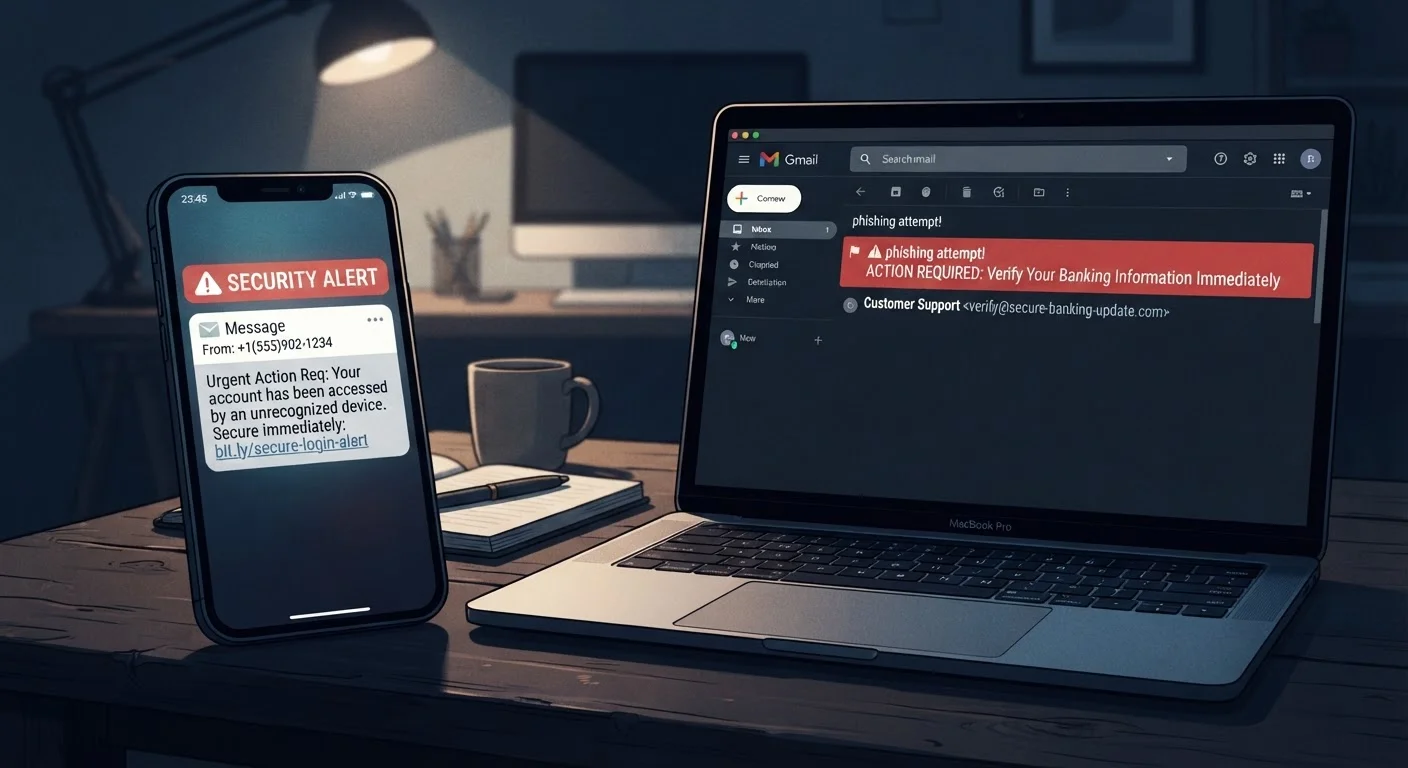
Phishing is a cyberattack delivered through email. The attacker impersonates a legitimate organization — a bank, a streaming service, a government agency — and sends a message designed to look convincing enough that you click a link or open an attachment. That link typically leads to a fake login page built to harvest your credentials, or a file that installs malicious software.
Smishing (a blend of "SMS" and "phishing") is the same con, delivered by text message or messaging app. The format changes; the goal does not. A smishing message might claim your package is delayed, your bank account is locked, or you owe a toll fee — and it includes a link or phone number to "resolve" the issue.
Both attacks belong to the broader family of social engineering — manipulation that targets human psychology rather than technical vulnerabilities. Neither requires the attacker to break into your device. They simply need you to act without thinking. To understand more about how this category of threat works, see how social engineering manipulates people.
| Criterion | Phishing Emails | Smishing Texts |
|---|---|---|
| Delivery channel | Email inbox | SMS or messaging app |
| Typical length | Longer, formatted messages | Short, conversational |
| Common lures | Account alerts, invoice scams, password resets | Package delays, bank alerts, toll fees |
| Key red flags | Spoofed sender domain, mismatched links | Unknown number, urgent deadline, vague greeting |
| Ease of filtering | Strong spam-filter support | Limited carrier-level filtering |
| Psychological hook | Authority and fear of account loss | Immediacy and personal relevance |
| How to report | "Report phishing" in email client | Forward to 7726 (SPAM) |
Why Smishing Can Feel More Convincing
Most people have been conditioned to treat email with a degree of suspicion — spam filters, warning banners, and years of awareness campaigns have raised the bar. Text messages carry a different psychological weight. We associate SMS with people we know, and we read texts more quickly and with less scrutiny.
Attackers exploit this. Smishing messages are typically short, use casual language, and create a tight deadline: "Your account will be suspended in 24 hours." The brevity that makes texting convenient also strips away the contextual clues — logo inconsistencies, footer disclaimers, verbose corporate language — that sometimes help expose phishing emails.
3.4B
Phishing emails sent per day globally
Estimates from cybersecurity researchers suggest billions of phishing emails circulate daily, making it the most common form of cyberattack.
98%
Of text messages opened by recipients
Industry research consistently finds SMS open rates far exceed email, which is a key reason attackers have increased smishing campaigns.
Phishing emails, on the other hand, often contain more detail, which ironically gives you more to scrutinize. A mismatched sender domain (e.g., support@paypa1-secure.com instead of paypal.com), a generic greeting like "Dear Customer," or a link whose destination URL doesn't match the displayed text are common tells. Hovering over a link before clicking — on a desktop — reveals where it actually leads.
Side-by-Side: Key Differences at a Glance
The table below contrasts phishing and smishing across the dimensions that matter most when you're trying to evaluate a suspicious message in real time.
One distinction worth highlighting: phishing emails are easier to report and filter at scale because email providers have mature spam-detection infrastructure. Smishing is harder to block proactively — phone carriers have fewer automated tools, and short-code numbers used by attackers can be rotated rapidly.
Two-Factor Authentication Adds a Critical Layer
Even if a phishing or smishing attack succeeds in capturing your password, two-factor authentication (2FA) — where you verify your identity with a second step like a code sent to your phone or generated by an app — can stop an attacker from accessing your account. Enabling 2FA on important accounts is one of the most effective protections available to everyday users.
Good password hygiene is a critical second line of defense. If an attacker does capture your credentials through either method, a unique, strong password limits the damage to a single account. See which password habits leave accounts most vulnerable for practical guidance.
How to Respond When Something Looks Off
The safest response to any unexpected email or text asking you to click a link, verify information, or call a number is simple: don't use the contact details in that message. Instead, go directly to the organization's official website by typing the address yourself, or call the number printed on the back of your card or on a bill you already have.
- For suspicious emails: Report them using your email client's "Report phishing" or "Mark as spam" function. Do not unsubscribe using a link inside a message you don't trust — that can confirm your address is active.
- For suspicious texts: In the US, you can forward smishing texts to
7726(SPAM), which sends the message to your carrier for review. Then delete the text. - If you clicked a link: Change the relevant account password immediately, enable two-factor authentication if it isn't already on, and monitor your account for unfamiliar activity. Contact the real organization to let them know.
The urgency you feel when reading these messages is part of the design. Pausing for thirty seconds to verify through official channels costs you almost nothing — and can prevent significant harm.